Friday, 13 February 2015

Studio

Anybody wishing to enter the world of professional photography will most likely have to take a studio portrait at some point. Although I have access to a fully kitted studio, I'd like to talk about home-studios, and cheap alternatives.


Depending on what you are doing, home studios can be made with household items, or with a little investment, a cheap set-up can result in a very professional look. My FiancĂ© purchased an amateur studio lighting set from Amazon for around £300, expensive still, but on the grand scheme of things that is dirt cheap.

The set included 3 flash lights (with continuous light), 3 flimsy light stands, soft boxes, honeycomb diffusers, barn doors, coloured overlays and a flash syncing device. I brought one of the lights off of her with each of the attachments for £100. I then went out and brought 2 meters of plain black fabric from my local sewing shop for around £15,  I then purchased an extendable net curtain rod and some plastic picture hooks, costing about £5.

So for £120 I now had a studio set up. I hammered the picture hooks into the ceiling, suspended the net curtain rod from them using string, then when I need the backdrop up I just peg the material to the rod.

This studio, although very cheap, gives a professional result and with a little editing, would be indistinguishable from a professional set-up.

If you do not have the money for this kind of set-up which frankly I wouldn't have been able to afford if it wasn't for student loans, then there are alternatives. My external flash is a cheap knock-off version of a Nikon Speedlite, costing £45. I also brought a universal external flash soft box for £10. The flash came with a tripod attachment, and some feet. With a flash sync, this external flash could be used as a studio flash, and yield great results. Especially in a small studio.

When photographing still life or smaller subject, homemade mini-studios can be made using little more than a towel and a lamp of some description, look around, you would be surprised what will work.

So that is the 'studio' covered, but what about shooting? I like to believe that we are not bound by rules, but with a little knowledge and some logic, there are common 'rules' that yield great results. With one light, it is easy to get a two toned image using light and dark, split across the face or at an angle, these shots can be very moody, especially in black and white. Just experiment.

Also, try to get catch-lights. Catch-lights, essentially, are reflections of the studio lighting in the subjects eyes; they make the subjects appear more genuine and heart-felt.  They always work with black and white images. If you are struggling to achieve catch-lights, they can always be added during post-production, but it looks more natural to get them in-camera.


This shot (above) is of my fiancé, it was a tricky one to get the catch-lights. After a long time messing with exposure and light positions, we 'collectively' decided her eyes were not shiny enough to reflect the light, so I held a lit incense stick underneath her eyes until they began to water and took the shot. Some might say cruel, I say determined.

To complete the shot I added an identical layer to Photoshop and added a blur filter to soften the skin. Then, using layers, I removed the blur from the eyes, to make them pop, and to create a fake shallow depth of field.

Keep Shooting and Experiment!


Alternatively follow me on Twitter at: https://twitter.com/AJTPhotographer

Mood

Moods and emotions are sensations all humans beings have experienced, regardless of  age, race, gender or beliefs. The ability to emotionally feel can often be a foundation for empathy, compassion, and spiritual connection, be it strong or brief.

The notion of Moods and Emotions is a fact of life, we are powerless to deny the existence of sense; and it plays a significant part in the journey we undertake as individuals.

Any day of the year, at any given moment, we as physical entities are feeling an emotion or mood. Weather we are in the presence of someone we love, or undergoing a task we hate, our thought processes and actions will be altered by the mood or emotion we feel. For instance, in the presence of love, we are generous, sympathetic and benevolent, however, while experiencing discomfort or anger, we can often be cynical, hurtful and selfish.

To avoid "bad" emotions, one must be extremely strong minded and selfless, it is exceptionally difficult to notice the overall value of something we loathe, or take into consideration those who have hurt you.

Emotions are an overwhelming ride though good and bad, and trigger evolution in ones personality, as they undergo their journey of life. The creative souls of humanity have been attempting to evoke emotions and capture moods through art since the dawn of humanity. In my opinion, the most powerful means of doing so is through music, however, imagery in paintings, photographs and drawings can be just as effective, but through a different sensory organ.

To capture a mood or emotion through art, the artist must have more than technical capabilities, the emotion lays behind the art, but is often the most important part of it. Frequently, the artist will express their own emotions through their art as means of expression and release. To me, this is one of the most interesting characteristics of the human race, and is the rationale behind my connection to art.

Photography is one of many art forms used to powerfully evoke emotions and thoughts in the viewer. From the black and white images of photojournalists such as Don McCullin and Robert Capa, to the Fine art and Surrealist photographer such as Sandy Skoglund  and Man Ray, photography is used as a commercial tool to provoke thoughts and emotions on the given topic.

Emotion can easily be emitted from a photograph of a moody subject such as destruction, happiness or defeat. In a sense, anybody with a camera can capture a mood that is blatantly apparent to those who are at the scene. For instance, a newlywed couple dancing on their wedding day is an unconcealed emotion of happiness; Families mourning the death of a loved one at a funeral, again, is an openly visible mood, which would show though a photograph taken by anyone.

Many photographers do shoot these kinds of scenes, but the more emotional photographs are often the ones that make the viewer think about the subject, and consider the emotion behind the image.
The image of a more subtle emotion often yield far more mood than meets the eye. The viewer is drawn to thoughts of what the subject means to them, what it meant to the photographer and why they photographed it. With images of less obvious expressive value, it is rarely the subject itself that has evoked the emotions, but more the style and techniques the photographer has used to capture the image.

The key is in the way the artist has photographed the scene, not how the scene appears to the naked eye. To do this, the artist has to consider many aspects of the subject. This is what is often referred to as the "eye". Photographers often see the world in a different way to others, which is what makes their work interesting, emotional and thought provoking. This, I believe, is when the artist has transformed from "taking photos" to becoming a "photographer".
 
The point of this blog is to remind ALL photographers, regardless of experience, that their photographs are art, they provoke emotions and thoughts in the viewers, and can sometimes represent something from the photographer.

Have you ever thought about what you would like to tell people through your images? Or perhaps just some emotions you would like to express. Many turn to the arts, and one way or another, photographers do too. Give it a go, try to really express yourself through photography.

For example, a close friend of mine, while undergoing a spate of depression, was photographing contemporary style images involving themes of being trapped, self hate and ultimately suicide. The images were extremely powerful, and even more so when you hear the story behind why the photographer shot them.

This is taking expressive photography to the literal. However, you may find that you are expressing yourself already, without even knowing it, like you are sub-consciously drawn to that photography because of your feelings or personality. My two biggest passions in life are Music and Photography, so it is no coincidence that I ended up becoming a music photographer. The other side of me is extremely passionate about environmental issues, and I have a love for nature and animals, hence my personal/hobby photography as wildlife and landscape.

My words of advice is find your niche, not just photographers, but all people, find what it is you love, what you hate even, find that passion, and express it. Most creative people will understand me when I say life isn't about paying bills. Do what you love, don't give up, with enough time invested, you will gain whatever you want from it.  

Thank you for reading, whoever you are 


Alternatively follow me on Twitter at:  https://twitter.com/AJTPhotographer

"Food"

Food photography is a very useful skill to have and also very fun to shoot, especially when you get the eat the food afterwards. I don’t mean a quick snap of you dinner from a restaurant on Wednesday night, I'm talking studio, still life.

For this task I was quite happy from the start, food is not exactly a difficult concept to interpret. So it was down the shop for a bamboo chopping board, 3 oranges, Cinnamon Sticks, Star of Anis and a Plain Victoria Sponge.

To begin this shoot I took the bamboo chopping board outside, and gave it a spray tan, using a butane blowtorch. I then scraped the sides of the board on the concrete, scratched the surface with a knife, and to complete the 'battered' look I threw a brick at it.

I then set up my studio area, placing some white A3 paper over a chest of drawers against a white wall. I then arranged the objects on the chopping boarding, using a tripod and a remote shutter. I lit the shots with a single studio light set to model, bouncing it with a piece of paper.

I tried a variety of exposures, using shallow and large depth of field, changing the composition and angles. The great thing about this kind of photography is you can set up the still life, and shoot it from every angle and using all the settings you want, and then change the subject and do it all over again. It would be impossible to explain my shooting method as it varied from shot to shot, once I have the camera off of the tripod.

Upon completion of the shoot I loaded the shots into Photoshop  as usual. Adjusting the Levels, Contrast and Clarity to get the image as close to what I had in mind. The only problem was some of the background was appearing an off-white colour. Using the Dodge tool I worked on this area repetitively until the background was a nice flat white.

Here are some of the images.


Alternatively follow me on Twitter at: https://twitter.com/AJTPhotographer

Thursday, 12 February 2015

"Levitation"

When it comes to photography, there has always been one area I have struggled to grasp, an area almost essential in modern photographic practice, Photoshop. I can quite comfortably work my way around retouching my images, but CREATING on Photoshop has sadly been a constant gray area. Despite having a strong like of Surrealism and ingeniously Photoshopped images, I have never managed to develop my skills.

So when the task of Levitation was set, I really had no idea what to do. This blog post is going to be reasonably short, with little more to talk about than bananas.

Yeah... bananas. My idea of a solution to a create block during the task of levitation. Despite being very unhappy with the image, I will show and explain, and hopefully give a confidence boost to others knowing that they could do a better job, and that ALL photographers have bad shots.

To do this shoot I set up a tripod in my kitchen, facing at a slight angle above the banana. The idea was that the banana itself would be standing on its peel, with floating cut out chunks. The whole standing on the peel thing didn't work, so excuse the strange appearance of a mis-aligned plate.


The first shot is of an empty plate. This was to be used as the base layer. Next, I peeled the banana and placed it on an up-side-down white ashtray. I then made cuts in the banana, taking a shot each time I made a cut, similar to making a stop motion film. I then thoroughly enjoyed the "fruits of my labour".

Simple as that with the shooting, time to edit. I shot this task in JPEG because I knew the exposure was fine, and I could not be bothered to save each one to JPEG during post-processing.
I opened a blank page on Photoshop, measuring 5000px by 5000px, giving me more than enough room to edit. I then loaded all of the images into Photoshop, and stacked them perfectly on top of one another.

I then hid all shots except the base layer and the banana layer. Using layer masks, I removed the ashtray and all of the banana fruit. I then added each layer one by one, working backwards to build the banana.

To do this I used layer masks, using a black brush to completely remove each layer, and then using a white brush to bring back areas of the banana. When doing this I needed the shot of the cut to be seen, I had to match the shape of that cut with each banana slice.
Once  the image was done I flattened the layers and altered the tones of the entire image. This is the result.


Alternatively follow me on Twitter at: https://twitter.com/AJTPhotographer

"Bokeh"

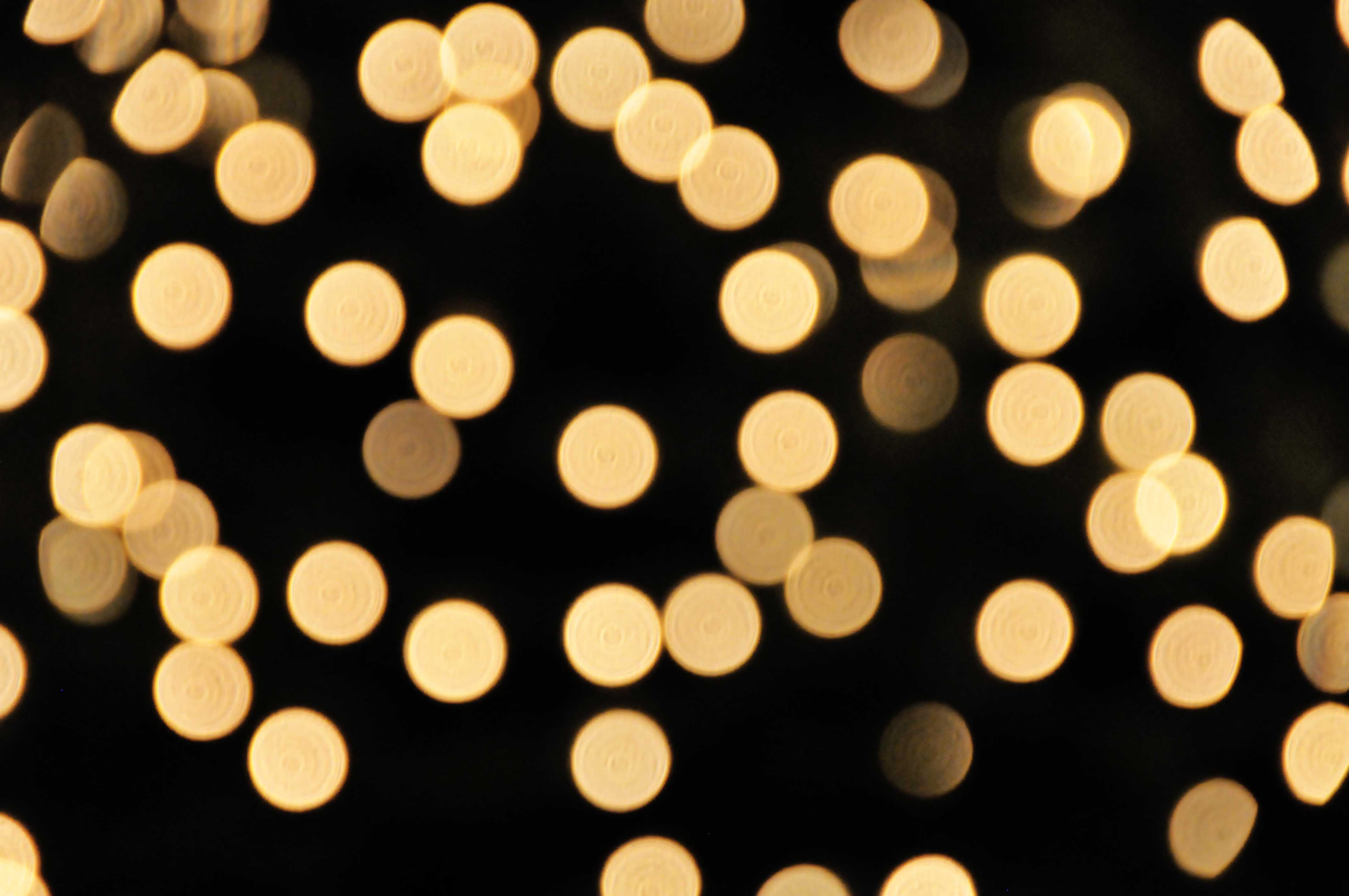
The Next  Challenge was "Bokeh". For those who may not know, Bokeh is a photographic technique used mostly in portraits. Bokeh is when the highlights of the background are so out of focus they become lots of circles. Although traditionally Bokeh is circles, they can also be pentagons and hexagons, depending on how many blades your aperture has. Sometimes bokeh can be morphed into shapes, such as little hearts or flowers. This is achieved by cutting out a shape and placing it over the lens. For the sake of professionalism and natural looks, I will explain 'natural' Bokeh. This image was found at http://fc08.deviantart.net/fs38/f/2008/362/b/e/bokeh_texture_by_ntscha.jpg

Bokeh is achieved by having such a narrow depth of field that the background becomes unrecognis

able, and the detail just becomes a flat area. Bokeh is generally achieved when the background has lots of individual highlights such as Fairy lights or a busy road.

As I previously mentioned, Bokeh is caused by an extremely narrow depth of field, depth of field is the area in which the image is in focus, a large depth of field means the image is in focus for the majority of the shot, such as a city-scape. A narrow depth of field means the focus range is minimal, and the background (or foreground) is out of focus. To achieve a large depth of field, an "Small" aperture is required, usually F/8 and beyond.

The trick to Bokeh, is having the aperture as wide open as possible. The average lens will go back to around F/3.5, although this is plenty for achieving a fairly narrow depth of field, this is usually not wide enough to create bokeh. A lens reaching back to F/2.8 or lower is going to do just fine. Alternatively, a Macro lens will create bokeh, but can be difficult to use for a portrait shot.

For this task I used an old manual lens, a 1970's Nikkormat F/2.8  50mm. This lens has an aperture ring, which means my Camera body's Computer cannot set the aperture, it has to be done manually. The focus was also manual, with no connection to my Camera AF mechanisms.
Having only been given a week to complete this task, and being unable to find a model for a portrait, I decided this task would be done as a still life shot. At that time I had no access to a multiple light source that was suitable to give me a good bokeh image, most were using fairy lights, however mine had sadly "expired" due to a small case of "clumsy twat"...and the spares had also managed to break themselves.

So I began searching for an alternative, which basically meant I sulked at my desk for half an hour before I realised the solution was right under my nose. On the desk lay a large piece of Cubic Iron Pyrite. On the reverse side of this crystal, lay a cluster of tiny shiny gold crystals. This cluster, upon illuminations from my studio light, would reflect lots of tiny, scattered highlights, giving me a perfect bokeh.

The golden shine of the Pyrite gave me a great tone and bokeh, I just had to find something to stick in the foreground, something that fitted the colour scheme. Being a man of little wealth I was yet again stumped. Until it struck me....COINS.
I emptied through what one might call a "Savings Jar", finding about 86 pence and an old roman coin I had purchased for 20p about 3 years ago. The roman coin was the obvious choice!
Propping it up with a (fake) brass chain, I composed the images, with my crystal in the background, time to think technical now.

The lighting was facing mostly dead on, to light both the objects and the background. I placed the objects on a Djembe Afican drum, with a black towel over the drum skin and stapled to the wall. Overall a basic setup with one light.

To achieve the bokeh, I set the lens' aperture ring to F/2.8 and had a shoot around, despite using my wide aperture of F/2.8, I soon realised that the objects were so small, that the crystal was peeping into my depth of field...while I realise now that I probably could have just moved the crystal, I decided to think a little outside of the box.

Having no macro lens to narrow down my depth of field, and no wider aperture available in my kit bag, I decided to detach my lens from the body, and hold it up to the camera body, with the focus ring wound all the way back. Using a combination of swaying further and closer to the object, and moving the lens further and closer to the camera body, I could locate a point though the eyepiece in which the image was in focus. This technique is known as "Free Lensing".

The problem with 'Free Lensing' is that light can creep through the gap between the camera and the lens, over-exposing and washing out the colours, to counteract this, you can purchase macro extension tubes. Connecting to the camera like a lens, and then offering a lens attachment at the other end. These tubes work in the same was as Free Lensing and cut out the light pollution, some extension tubes can even auto-focus.

Having no extension tubes at that point, I just had to find the right combination of lens-body distance and object - lens distance.

Another issue was my eyepiece focus component had been slightly knocked in my camera bag, leaving me able to focus through the viewfinder, but wondering why the resulting image was wrong. It took me a while before I realised my eyepiece focus calibration was off. To fix this I attached a new lens, using auto focus I locked focus down, and then calibrated the eyepiece, turning the cog until the shot was sharp. I was now calibrated and ready to try again.
Once I had enough shots, I loaded the images into Photoshop's RAW processing and began making tweaks. Firstly, I upped the exposure a tiny bit, bringing the overall shot to a decent exposure. Instead of adding contrast, I brought the Highlights and Whites sliders up a little. The darks were quite abundant, so I lightened the Shadows, but darkened the blacks, this highlighted some of the shadows, but darkened what was left, giving me lots of detail and some nice shadow.
I then increased the Clarity (Mid-tone contrast) of the overall image, and using the brush, exaggerated the clarity of the coin. I then warmed the temperature of the image slightly, and saved to JPEG. This is the Result.


Please feel free to add me on Facebook at:https://www.facebook.com/profile.php?id=100007321418710


Alternatively you can follow me on Twitter at: https://twitter.com/AJTPhotographer 

"Smoke Trails"

My first challenge was called "Smoke Trials". Requiring minimal thought into how to interpret this challenge, I decided I wanted to do something interesting with the results.

I had a few ideas in mind, but I will talk through the shooting technique before I talk about the final images, remember, this is a digital manipulation task, shots of plain smoke will not do.

There are endless ways you can shoot smoke, so don’t be disheartened if you are reading and you don't have the equipment to do this exact shoot, just remember to experiment, you will never know until you try.


For MY shoot, I used.

Nikon D7100
18-105mm (Kit) Lens
Tripod
External Flash (Mounted on a tripod)
Pocket Wizard (Flash Sync Unit)
Black Card
Incense Sticks
Bottle
Paperclip

Before you begin the shoot, make sure the area you are shooting in can be plunged in complete darkness, for my shoot, I used a Photographic Studio, just because I had access to one. If you don't have access to a studio, simply hang think material over your windows, or wait until darkness had fallen.

Place a table up against a wall, and cover the wall using black material of some description, don’t worry about the table, it wont be in shot, however if you have a reflective table surface, it might be worth covering with a towel.

Using card, black if possible, cut out paddle-like shapes (SHOWN) and attach them to your flash unit, similar to barn doors on a studio flash, but much more low-tech and cheaper. This will give a straight 'beam' of flash-light, illuminating the smoke but not the background, allowing a flawless black background.

Mount the flash on the tripod and connect to your camera using a Flash Sync Unit. Wired Syncs will work fine, however in the interests of health and safety, wireless is preferred. Place the flash unit to the side of your set-up, I had mine directly to the right of the studio area.


Assuming your camera is already mounted on a tripod, place a paper clip at the bottom of the incense stick and place it into the bottle, the clip should stop the incense stick from falling into the bottle. Alternatively you could use an incense holder or simply blu-tack the stick facing up.

Remember to line-up the flash 'beam' with the incense stick, check that the sync is working, and set your camera to the right exposure, mine was at 1/150th, F/8 and ISO 100.

Before you turn the lights out, light the incense stick and focus on the smoke, if you have used auto focus, lock the focus down by switching to manual focus once you are happy with the result, smoke is unpredictable, so just make sure that the most of the smoke is in focus, alternatively, use a small aperture (F/8 - F/22) and focus just before the smoke, this will ensure the majority of the smoke will be in focus.

Now you are set-up, its time to turn the lights out and shoot away. Being in complete darkness, shooting is random, so don’t be disheartened if you don't get the exact result you had in mind, try wafting the smoke around and taking shots a second or so after, once the smoke has settled.

Here are the images as shot, as you can see they are pretty mediocre, but this is only the start of this task.

I will run through two techniques I have used to create smoke images, the first being this image.


To achieve this image open up your Levels pallet and adjust the blacks to get a solid black background, try not to take out too much detail in the smoke, just ensure the background is black. Now go into Image > Adjustment > Invert. This will make the background white and the smoke black, giving an almost inferred appearance. Now go to Colour Balance and have a play around until you find a tone that you like.


This next image works on the same principle but a little more intricate. Load your JPEG into Photoshop and make some Levels Adjustments to clean up the background and enhance the smoke, this is really preference, but the background needs to be fairly clean.

Using the Quick Selection Tool, select an area you desire to change the colour of, whether this is the whole lot, or a section. Once selected, make an adjustment layer for Colour Balance and play around with the colour sliders until you are satisfied. If you are using multiple colours, overlap the selections to create a clean transition. When making a multi-toned image, make sure you feather the mask by clicking the icon next to the Scales icon in the Colour balance adjustment layer palette. Alter the Feather slider until you are satisfied.

If you have any questions or would like to see my work, please add me on Facebook at: https://www.facebook.com/profile.php?id=100007321418710

Alternatively you can follow me on Twitter at: https://twitter.com/AJTPhotographer

Weekly Challenges

As part of the HND course I am currently on, we have been set weekly challenges. Although not strictly professional work I would like to talk about the challenges as I believe there are a fair amount of lessons to be learnt.

All work aside, the challenges have been very interesting and sometimes difficult to interpret. I have done a small amount of research and have found a number of posts, images, websites and pages that offer daily or weekly challenges. Searching on a site called pinterest, I have found an abundance of 'pins' that offer daily photographic or artistic challenges, these daily tasks could be taken as weekly tasks.

Being a photographer, I find it very difficult to get inspiration and motivation; I also rarely experiment with new ideas, mostly, because I just cannot think of them. Engaging in weekly challenges, and sticking it through regardless of the outcome, is a great way to keep you on your toes. The challenges both test, and inspire your creative skills, and give you new thing to be working on.

Keeping the camera in use is one of the hardest things for photographers without consistent work, budding photographers will often go weeks or months without picking up the camera, this is something that can hep that, whether you are an experienced professional or a beginner, experimenting with new ideas will offer creative growth, and satisfaction upon completion.

The challenges I have/will have been set are all based on digital manipulation, sometime I have always struggled with. Although initially I hated the idea of engaging in weekly Photoshop tasks, the challenges have pushed me into uncomfortable areas of photography that I would usually avoid, forcing creative growth. The true lesson is, one will never know what they are truly capable of if they spend their time in comfort.

How did your comfort area become so comfortable anyway? Practice? Determination?

In my experience, mostly luck and leaps of faith, if you want to do something, just try it. Another point is the old saying; don't knock it until you try it. This is very true, I hated most forms of still life photography, but having been forced to shoot it due to HND projects, I have found that there are many things I am not only capable of doing, but actually enjoy doing as well.

If you have the facilities to enrol on a photography course, even an evening class, I would highly recommend it, any kind of predetermined criteria that you have to follow, may be restringing during the course, but the lessons learned are valuable, and you would be surprised how techniques used in one area of photography can be applied to other, contrasting areas.

The point I am getting at is don't be lazy, photography may be an art form, maybe even an escape for some, but if you don't push yourself, and stay within comfortable practice, you will not grow or develop as an artist, and it will not be long before you grow bored of the same thing.


The weekly challenges will soon follow as I blog about each one, how and why I did them, and talk through the techniques/post-processing I used. 


Alternatively follow me on Twitter at: https://twitter.com/AJTPhotographer

Tuesday, 27 January 2015

Photo-Merging


Photo-merging is taking a series of photographs and "Stitching" them together to create an image that would have otherwise been impossible. There are several different types of photo-merging, but I will run through the two that i have used and talk about how I did them.

The most common form of photo-merging or "stitching" is Panoramic Photography. Mainly used in landscape, Panoramic is a technique used to get a long wide angle shot. The signature letterbox shape gives the images a very fresh appearance, a nice change.

The Panoramic process could be achieved using a Wide or Super-wide Angle lens, and then cropped into the letterbox shape. The issue with this, however, is that the image quality is lowered and the images might not be able to be printed or viewed in high quality. The Panoramic process allows an unlimited field of view, with a super high quality print.

Panoramic images are created by taking a series of photographs and putting them together on Photoshop. Panoramic images are now even easier as Photoshop now has the ability to stitch the images for you. However, for the sake of this post, I will be explaining how I do it (manually).

The first thing to note about these images is the equipment, Although you can buy specialised tripod heads designed for panoramic photography, this effect can be achieved using a normal tripod, and even hand-holding if you have a steady enough grip.

A kit lens is usually the best lens to use for this, zooming in at between 20-50mm. This is crucial as bellow 20mm is entering wide-angle views, giving barrel distortion, altered perception and ultimately will not allow your images to line up properly. So 20-50mm is preferred.

Once you have found a view you want to capture, face the camera at the furthest left point of your desired image. Assuming you are handholding the camera, keep your eye looking through the lens, and snap your furthest left  shot. Take note of an object in the third vertical of your image (the right side).

Now, moving slowly, Twist your body and compose the shot with the object in the left of the frame. Again, make note of an object in the right, and continue lining up and shooting until you reached the desired length.

An argument has been made that instead of twisting your body, it is better to keep the lens at the same spot and rotate around the lens. However either will work.


So once you have the images, load a new page on Photoshop, make it around 5000px width and 1000px height, this should give you plenty of room. Load your first image into Photoshop and put it in the centre left of the page, don’t make any adjustments to the size. Load in your next shot and change its opacity to 50%, line up the key object in both shots. Continue adding photographs at 50% opacity and lining them up until you have your panoramic laid out. Now adjust all of them to 100% opacity, and give them all a layer.

Selecting the second shot of your sequence, get up the brush tool, and make sure it's hardness as low as possible. With a fairly large brush, you should be able to take off the edges of you images, lining them up and making the images seamless.

When there is things like stones, clouds or a lumpy texture, some clone stamping or blurring might be required to blend the images, however usually, the images should merge quite nicely.

Once you are happy with the merge, flatten the image and make any major adjustments. (Levels, Colour etc.)


This process can also be applied to other shoots. This image (above) was shot using a tripod and a studio flashlight once the sun had set. I took several exposures (below) and stitched them together using the same technique as before, but without creating a long image. This took quite some time to complete, however  the technique gave me the change to shoot in a way I never had, as this would require several flash units.


Alternatively, you can follow me on Twitter at https://twitter.com/AJTPhotographer 


 Thankyou


Behind the Scenes Shooting

Recently, i was offered the opportunity to shoot some behind the scenes work for the making on a music video. As it was wish the regular band, i have grown to know them all, and they all know me, which makes things run a little smoother from time to time.

I thought it might be an interesting thing to talk about, as i have personally never seen anyone talking about Behind the Scenes shooting. i will talk from my experience and share any tips, just in case you get the opportunity.


Upon invitation to the shoot, i was extremely excited to see what it was like to shoot a real music video, i was also very happy to have gotten the opportunity, due to the original photographer having to cancel. As the date crept closer i began to realize, having never shot behind the scenes before, that i had no idea what i was going to be doing....that doesn't happen much...i promise.


I did a small amount of research but nothing would give away the conditions i was shooting in. With little-to-no knowledge of what i was up against, packing light was not an option. I was told that a local venue (THE MECCA) would be open privately to us, so i knew i could have my equipment laying around without fear of theft of damage.

I made sure i arrived about 2 hours early, this gave me plenty of time to figure out what i was doing and converse with the team to get an insight into what was going to happen. After a short while helping with the lighting rigs and music equipment, the sound (and light) check commenced.


During this time, i fitted each one of my lenses and determined the settings for each lens. Automatically, i knew this shoot would be difficult. the whole venue was in pitch black darkness, and the lighting rig, although fairly substantial, was the only source of light.

The problem was that the lighting rig was behind the musicians for a theatrical look. The lighting also fluctuated a lot, flashing, fading and constantly moving (lasers). I was forbidden to use my flash because of disruptions to the video. It became apparent right from the sound check, that i needed a lens that could open up to a wide aperture, to allow me to shoot with a low enough ISO to avoid poor quality, but a high enough shutter speed to freeze the active musicians.

After a short test of each lens, there was a clear winner, My 50mm prime F/2.8. shooting at around 75mm (due to a cropped sensor) this lens gave me reach and a wide aperture of f2.8, which i set on the lenses aperture ring. This allowed me to have my ISO 800-1000, reasonably low for the conditions.


My shutter speed was at 1/400th of a second, just enough to freeze the motion. These settings left me rather under-exposed, but exposed well enough to view the images. As previously mentioned, i often under-expose my image to be safe, especially when i am shooting in difficult conditions. It might be worth noting that i shot in black and white, because of the exposure settings, and colourful lights, the white balance/colour balance was muddy and inaccurate; shooting in black and white changed the light from dirty tones to strong highlights.

I was also restricted composure wise because i had to make sure i wasn't in the video.

The first 5 videos were shot with the video camera on a tripod, straight on, this was for filling footage of the entire band. During the making of these videos, i was restricted to behind the camera man and his tripod. During these videos i got shots of the entire band, just like the video.


Next, the videographer took the camera in hand, and shot 3 videos with each band member, although the shots didn't show the rest of the band, there were in the background at some points. Because of this, the rest of the band had to continue performing.

This meant, i got free reign of the other band-members, with the often pulling interesting moves and playing up to my camera instead. I also got personal performance time with each individual band member because the cameraman was focusing on one person.

The results of this was surprisingly well-received, and i personally was very happy with the outcome. Beginners luck? Maybe, but that's what keeps me going.

Advice to anyone else receiving the chance to shoot behind the scenes, Don't panic, and look at the scene differently to normal, find/look at things in an unorthodox manner, Forget about trying to get 'that shot' and just photograph naturally. Document the scene, and occasionally try to get shots that make it seem like your shoot....is that theft or wit? Sponging off of other peoples hard work is what us photographers do, Lets face it, if we see something interesting we photograph is yes? Well the interesting thing is often someone else's time and effort.


Please feel free to add me on facebook at https://www.facebook.com/profile.php?id=100007321418710

Alternatively, follow me on Twitter at https://twitter.com/AJTPhotographer

Thankyou!


High Key Situations

So I've spoken about various techniques to help a low light photo-shoot, but I haven't written anything about shooting in very bright situations. It's one of the things most people forget when it comes to photo-shoot  extremes, but can actually be extremely difficult.

When I say bright situations, I don't mean a nice summers day, I'm talking high key, white on white or just too many highlights and not enough shadows. The problem generally arrives when you have a very light coloured background, like a white wall, and light penetrating everything evenly, leaving little to no shadow areas. Because there are no shadows, the usual techniques (ISO, Shutter Speed and Aperture) become redundant as a technique. Obviously, being a photographer, these 3 things should be in your mind anyway.

So as we all know, small aperture (F/11 or smaller) and a fast shutter speed with an ISO of around 100. Now that will have you shooting, but images may appear flat or just blown out. So what can you do to give some depth and contrast in your images?

If you are in a studio with a model/client, ask them to bring a variety of clothes, select the darker shades of clothing to make the subject pop. Understandably, this is not always possible, so what do we do?

A rather confusing technique to counteract abundant light is to add more light...the trusty ol' hot-shoe flash is the man for the job. To do this, is actually pretty simple. Play around with your settings and try to get the outcome rather dark, not a black frame, but fairly underexposed. Use the flash to create highlights, this might mean turning it, or bouncing the light so it isn't head on.

Composition is also very important in situations like this, try to find little objects or positions that give depth to the image, something either in front of or behind the subject.

It might be worth noting that the background can be burnt out later, so shoot with this in mind; don't miss a shot because you are worried about the light. High key images can often be a nightmare to edit, if the highlights are blown then recovering data from the image (burning) can sometimes be tricky, and leave the edited area insanely noisy and noticeable.

A good rule of thumb is it is always better to be under-exposed than over-exposed. Often, i find myself struggling to find that perfect exposure point, shooting in raw means i can always keep the shoot under-exposed and edit them later; quite frequently it turns out the reason i couldn't find the exposure i had in mind was because the contrast in the light was not strong enough, or something of that nature. So never get frustrated while shooting if you can't seem to nail down what you want, just make sure the exposure isn't blowing out any highlights, and keep shooting, take advantage of  post-production technology.
Please add me on Facebook at  https://www.facebook.com/profile.php?id=100007321418710

Alternatively, you can follow me on twitter at https://twitter.com/AJTPhotographer


 Thankyou